
1.0.0Python CLI / API
VCO TB Generator
为 LC VCO 生成 Virtuoso 测试台和 Maestro 分析配置。先离线校验请求,再用自己的 EDA 环境生成原理图、运行测试并核对结果。Build Virtuoso testbenches and Maestro analysis setups for LC VCOs. Validate a request offline, then generate the schematic, run the test and check the results in your own EDA environment.
四个测试级别Four testbench levels
按所需结果选级别,从读取被测器件的端口,到配置完整的 ISF 测试。Choose the level that matches the job, from reading device terminals to setting up a full ISF test.
- L-a
- 读取 DUT 符号端口。Read back DUT symbol terminals.
- L-b
- 生成测试原理图和 config,并核对连接。Build the schematic fixture and config, and check connectivity.
- L-c
- 配置 HB 和 HBNOISE,输出振荡频率、相噪和电源功耗。Set up HB and HBNOISE with oscillation frequency, phase-noise and supply-power outputs.
- L-d
- 在 L-c 基础上加入 HBXF 和跨选定器件漏源端的探针,保存输出对和器件的波形。Extend L-c with HBXF, a probe across the selected device’s drain and source, and waveform saves for the output pair and device.
ISF Explorer 怎样调用How ISF Explorer calls it
三条入口都由生成器写入 OA 和 Maestro。L-d 的 HB、HBNOISE 和 HBXF 共用基频、谐波数、输出对与频偏列表。The generator handles OA and Maestro writes for all three entries. At L-d, HB, HBNOISE and HBXF share a fundamental, harmonic count, output pair and offset list.
- A · Design Lab 项目A · Design Lab project
- 从导出文件或项目生成 L-b 测试台规格,再加入 L-d 分析。Derive an L-b fixture spec from the export or project, then add the L-d analyses.
- B · 现有 MaestroB · Existing Maestro
- 读取源测试,在保留原有测试和设置的情况下添加 L-d 测试。若 Maestro 窗口已打开,先在该窗口确认。Read the source test and add an L-d test while preserving the original tests and settings. An open Maestro window requires confirmation in that session.
新建 L-d 测试可继承源 Maestro 的工艺角和模型组。The new L-d test can inherit corners and model groups from the source Maestro setup. - C · 新 DUT 单元C · New DUT cell
- 浏览 OA 库、读取符号端口。确认端口用途后生成测试台规格,再加入 L-d 分析。Browse OA libraries and inspect symbol terminals. Confirm their roles, then build the fixture spec and add the L-d analyses.
运行离线示例Run the offline example
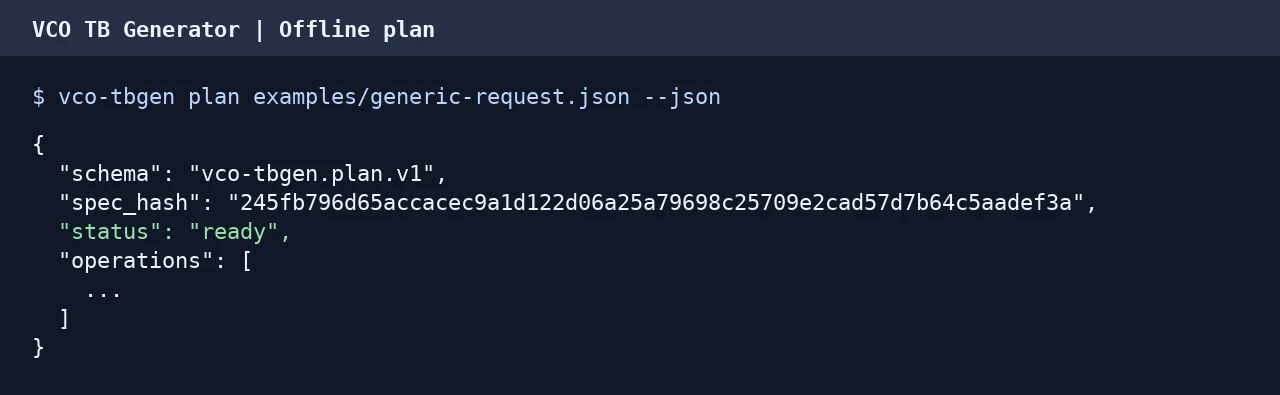
在 1.0.0 源码目录中,用 Python 3.11 或更新版本安装。合成 L-c 请求返回 status: ready,不需要 Cadence、OA 库或模型文件。Install from the 1.0.0 source directory with Python 3.11 or later. The synthetic L-c request returns status: ready without Cadence, OA libraries or model files.
python -m pip install .
vco-tbgen plan examples/generic-request.json --json原生环境与验证范围Native requirements and validation
生成器搭建测试台并核对测试结果。振荡器设计、尺寸选择和电路签核仍由使用者完成。The generator builds testbenches and checks test results. Oscillator design, device sizing and circuit sign-off remain the user’s responsibility.
- 本地环境Local setup
- 原生步骤需要有许可证的 Virtuoso、Maestro 和 Spectre,以及自有工作区、OA 库映射和匹配的 PDK 绑定。发布包仅带虚构绑定示例。Native steps require a licensed Virtuoso, Maestro and Spectre environment, an owned workspace, OA library mappings and matching PDK bindings. The release ships a fictional binding example.
- 已验证范围Validation scope
- 原生验证覆盖一套 Virtuoso IC6.1.8 / Spectre 18.1 环境和三种 CMOS 工艺。已有测试的保留与回读针对 setupdb v6 和 statedb v5。Native validation covered one Virtuoso IC6.1.8 / Spectre 18.1 installation and three CMOS processes. Preservation of existing tests was qualified for setupdb v6 and statedb v5.