RF-FIELDWORK工程实验室Engineering Lab

为 Agent 时代,
构建 RFIC 基础设施。
RFIC infrastructure
for the agent era.

一组跑在 Virtuoso、Maestro、EMX 和 Spectre 上的射频设计工具,源码在 GitHub 开源。界面给工程师用,命令行留给 agent 调用。RF design tools that run on Virtuoso, Maestro, EMX and Spectre. Engineers use the interface; agents call the command line. The source is open on GitHub.

下面这台仪器可以直接操作:按通道键换工具,转旋钮看数据。The instrument below is live. Press a channel key to switch tools, turn the knob to read the data.

Tr1

通道Channel


工具The tools

每件工具解决一个
反复出现的麻烦。
Each tool removes
one recurring chore.

画电感、配 EMX、逐码测电容、在密集版图里找 pin,一轮轮手调器件尺寸,这些事每个射频项目都要做很多遍。下面这些工具把它们收进各自的工作台。Drawing inductors, setting up EMX, measuring a capacitor array code by code, hunting for a pin in a dense layout, hand-tuning device sizes round after round: every RF project repeats these. Each tool below gathers one of them into a single workbench.

Tr1无源结构、EMX、多目标优化Passives, EMX, multi-objective search

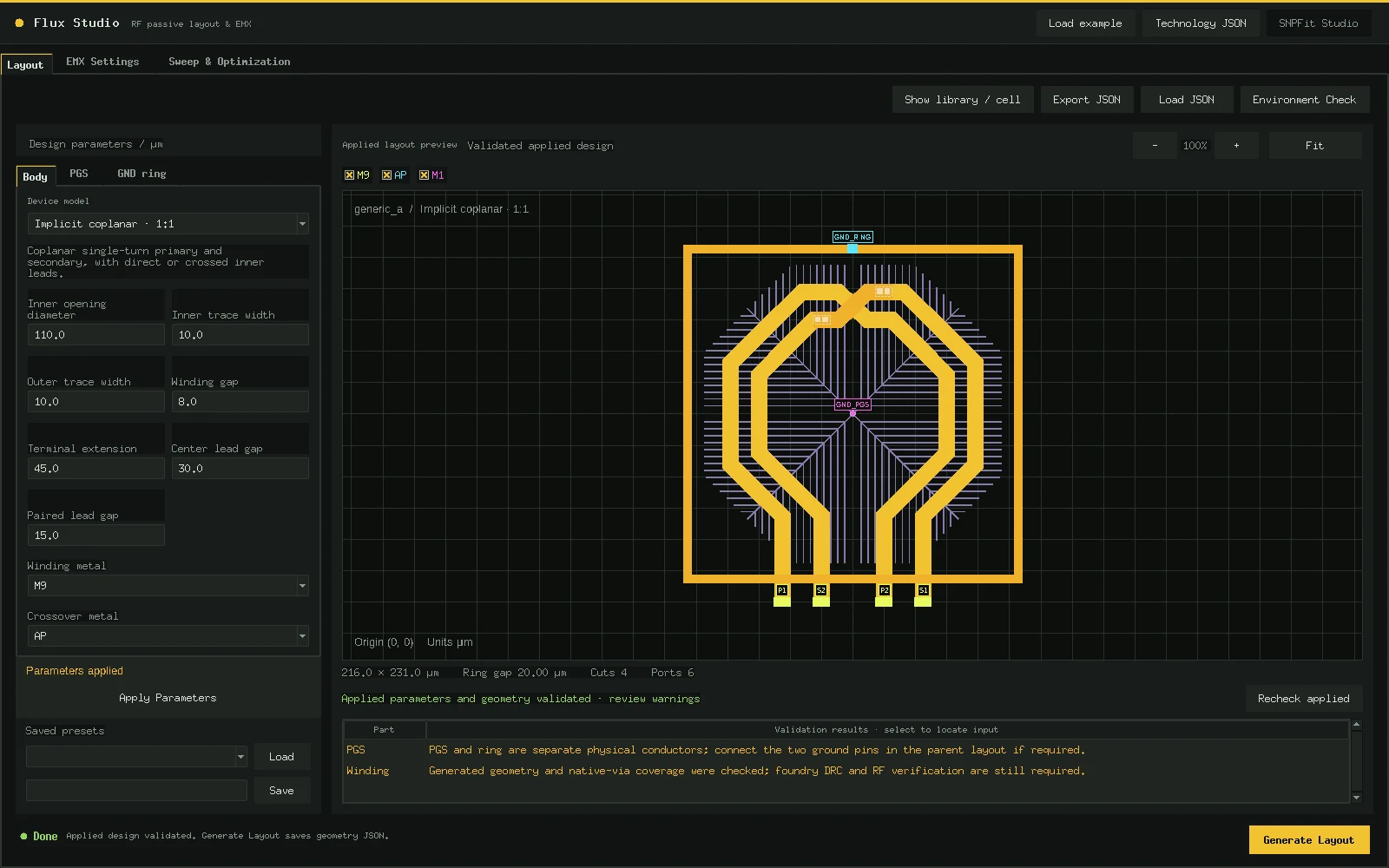
Flux Studio

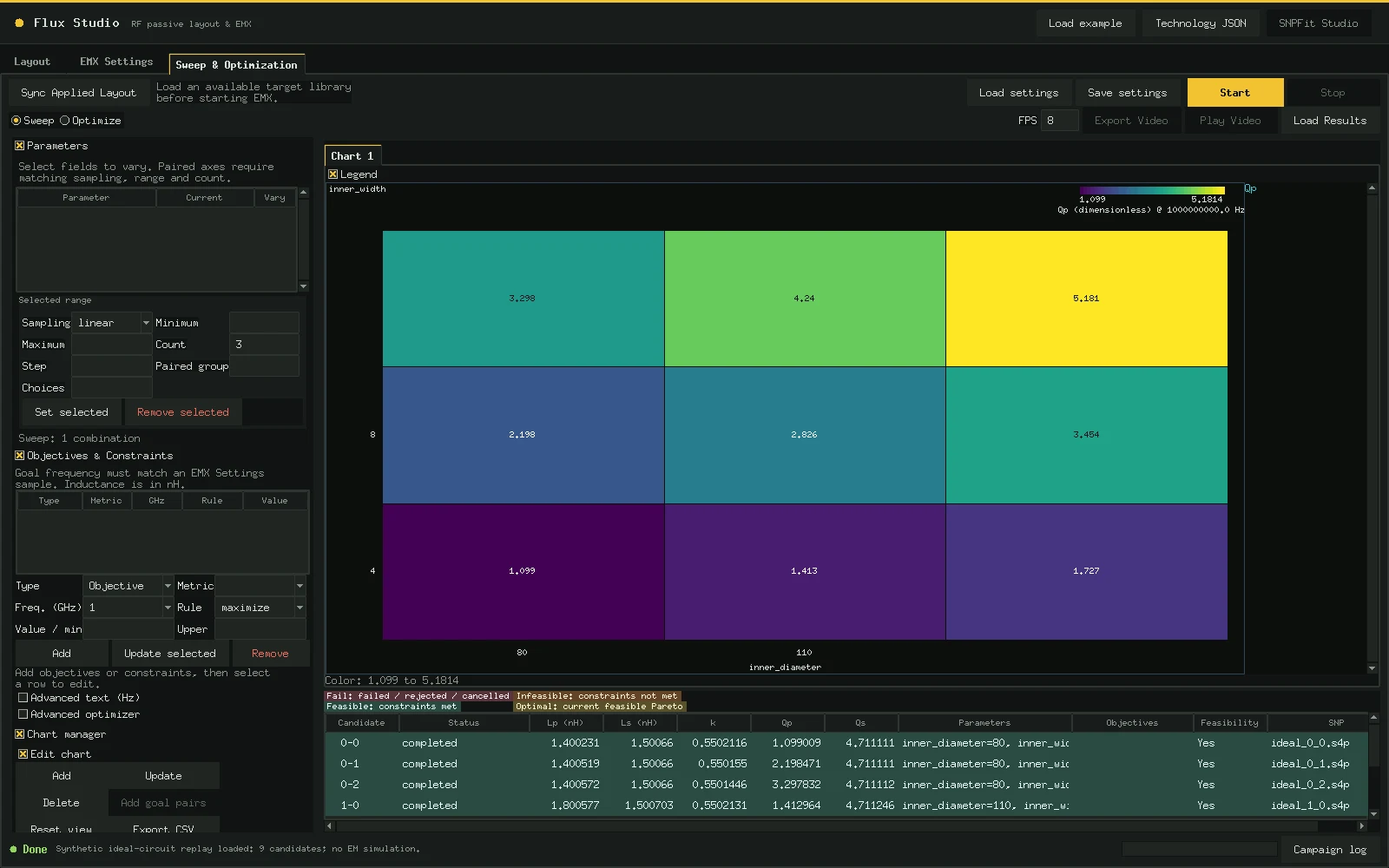
从参数化结构出发,pin 想放哪就放哪,跑 EMX,看 Pareto 前沿,再把选中的结果拟合成能读的等效电路。Start from a parametric structure, put pins where you need them, run EMX, read the Pareto front, then fit the chosen result into an equivalent circuit you can inspect.

结构Structures
开源版内置差分电感;单端、抽头电感与共面、叠层变压器等为结构包;PGS、地环可选Differential inductor built in; single-ended and tapped inductors, coplanar and stacked transformers as structure packs; optional PGS and ground ring
求解Solve
OA → GDS → EMX;单参 9 点,双参 5×5 网格OA → GDS → EMX; 9-point single sweeps, 5×5 two-parameter grids
优化Optimize
NSGA-II;一次三目标运行完成 48 个候选,采样出 27 个 Pareto 点NSGA-II; one three-objective run completed 48 candidates and sampled 27 Pareto points
建模Model
SNPFit 两段式拟合,对照源响应验收后生成原生 schematic、版图与 symbolTwo-stage SNPFit fitting, checked against the source response, then a native schematic, layout and symbol
进入 Flux StudioOpen Flux Studio配音演示片约 1 分钟narrated film, about 1 minGitHub

Tr2谐振、损耗、起振裕量Resonance, loss, startup margin

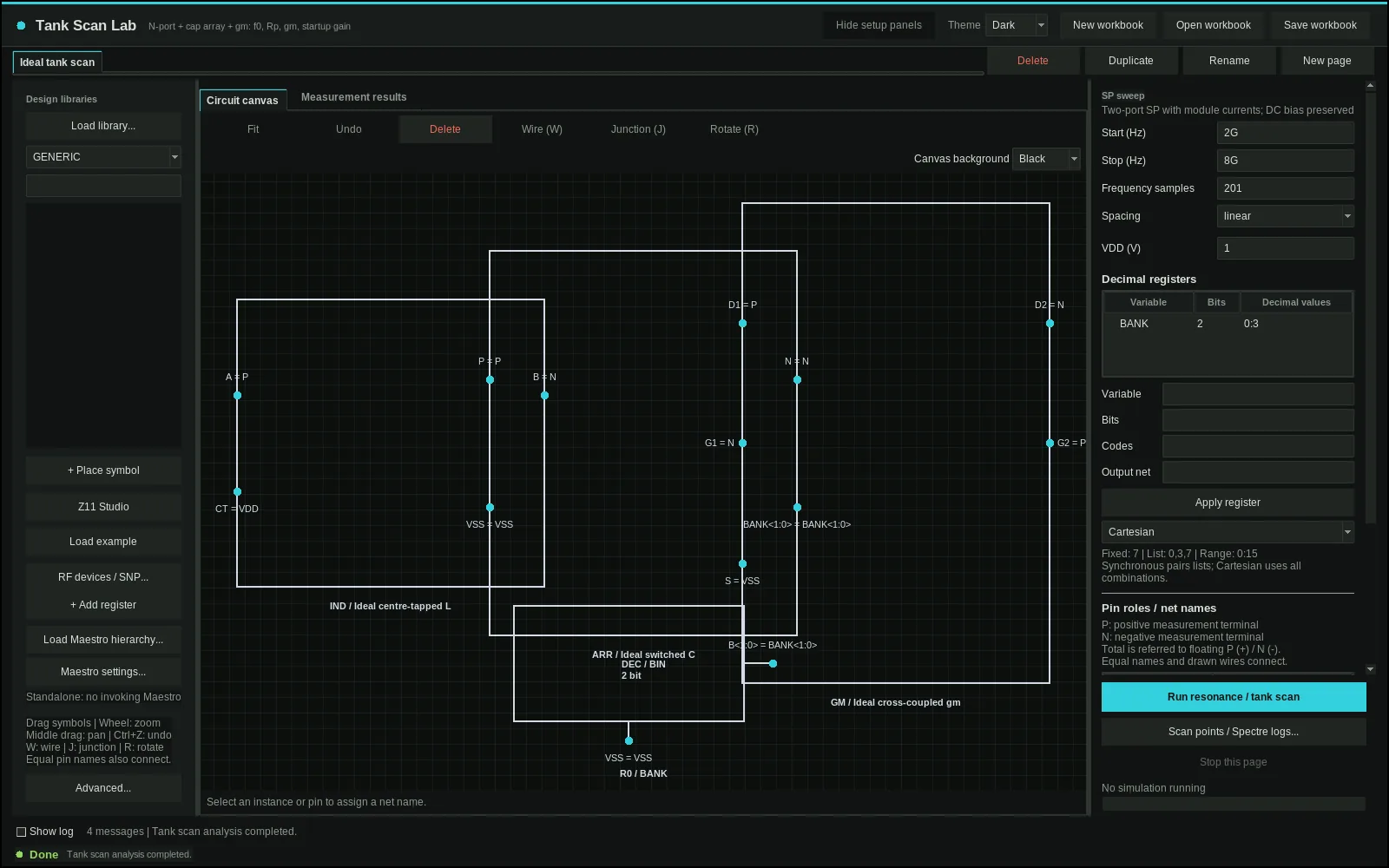
Tank Scan Lab

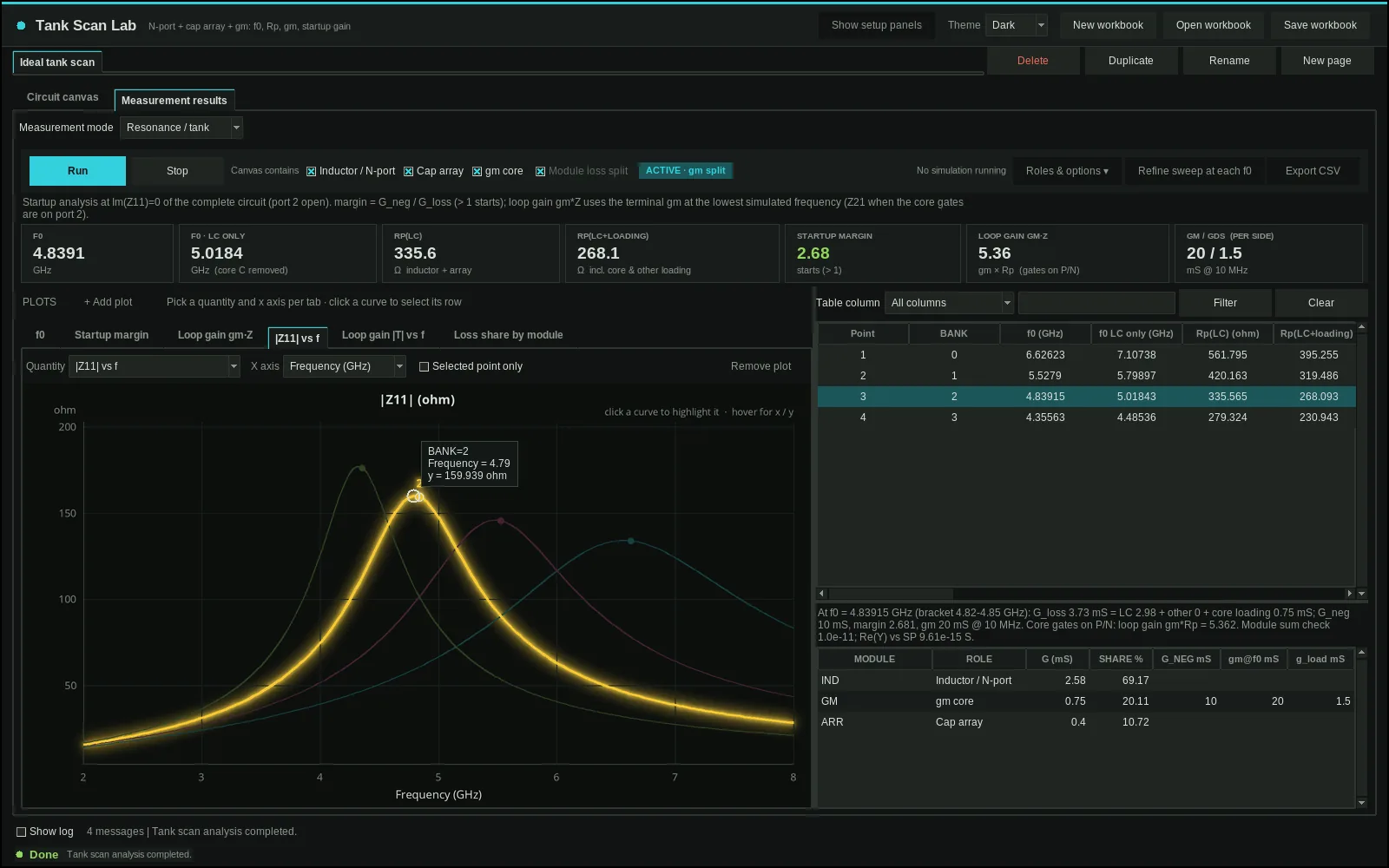
把 N-port、阵列和 gm 核心放上画布,一次原生运行,逐码查看谐振、损耗和小信号起振裕量;任何电容阵列也能逐码看 C/Q 和 INL/DNL。Place an N-port, array and gm core on the canvas. One native run compares resonance, loss and small-signal startup margin across codes; any capacitor array also gets per-code C/Q and INL/DNL.

Resonance / tank
f0、Rp、端口 gm/gds、G_neg、起振裕量、环路增益、Q 与模块损耗占比;可选端口 2 给出 Z21f0, Rp, terminal gm/gds, G_neg, startup margin, loop gain, Q and module loss shares; optional port 2 adds Z21
Capacitance
任何电容阵列逐码看 C/Q,差分或单端;C 步进与 INL/DNL,8 位大码字也一次扫完Per-code C/Q for any capacitor array, differential or single-ended; C step and INL/DNL, an 8-bit array in one sweep
Maestro
从源窗口继承测试、层级与运行设置Inherit the source window’s test, hierarchy and runtime setup
工作簿Workbook
页面、配置和频谱一起保存Save pages, setup and spectra together
进入 Tank Scan LabOpen Tank Scan Lab配音演示片约 1 分钟narrated film, about 1 minGitHub

Tr3版图、层次、连接Layout, hierarchy, connectivity

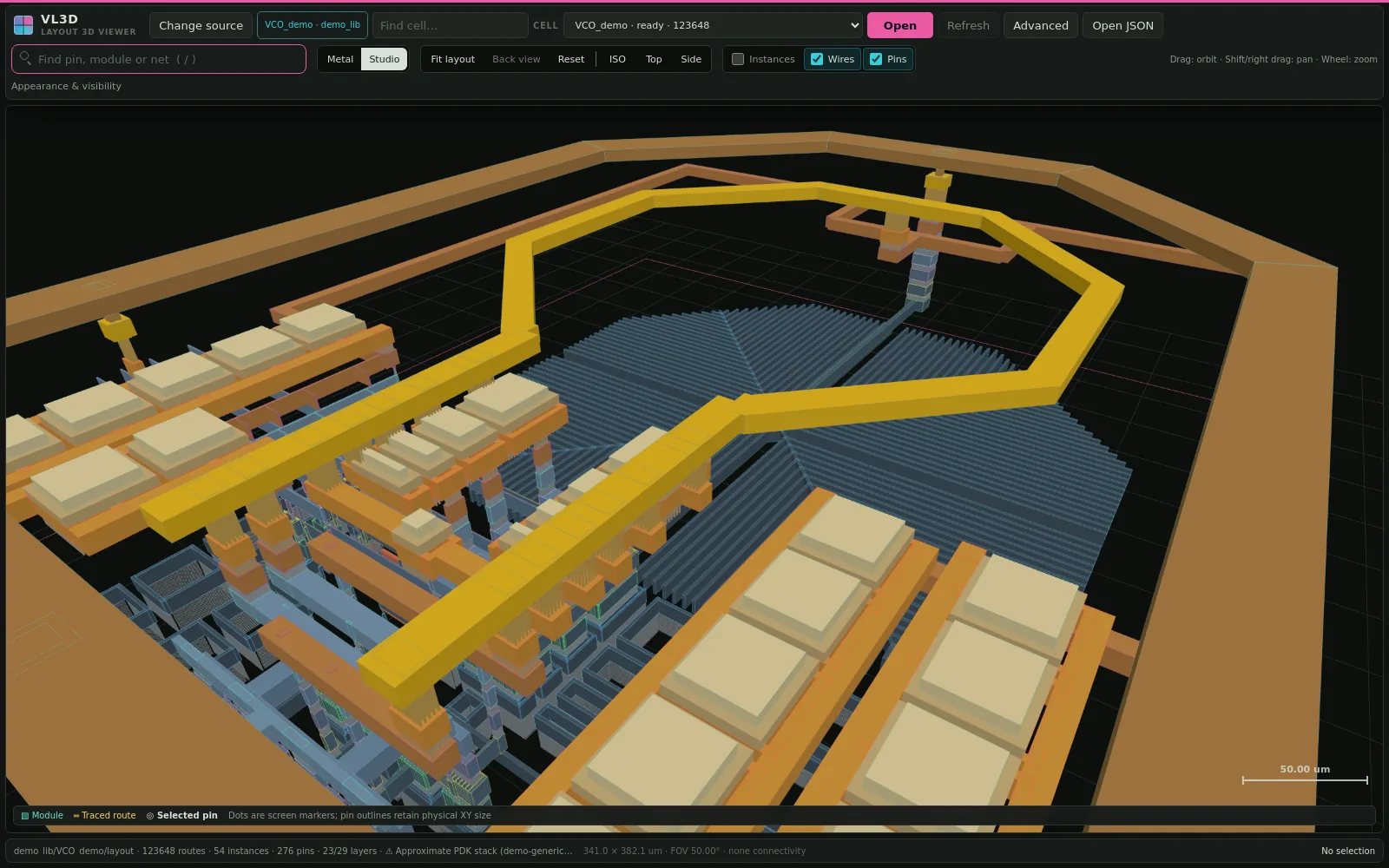
Layout 3D Viewer

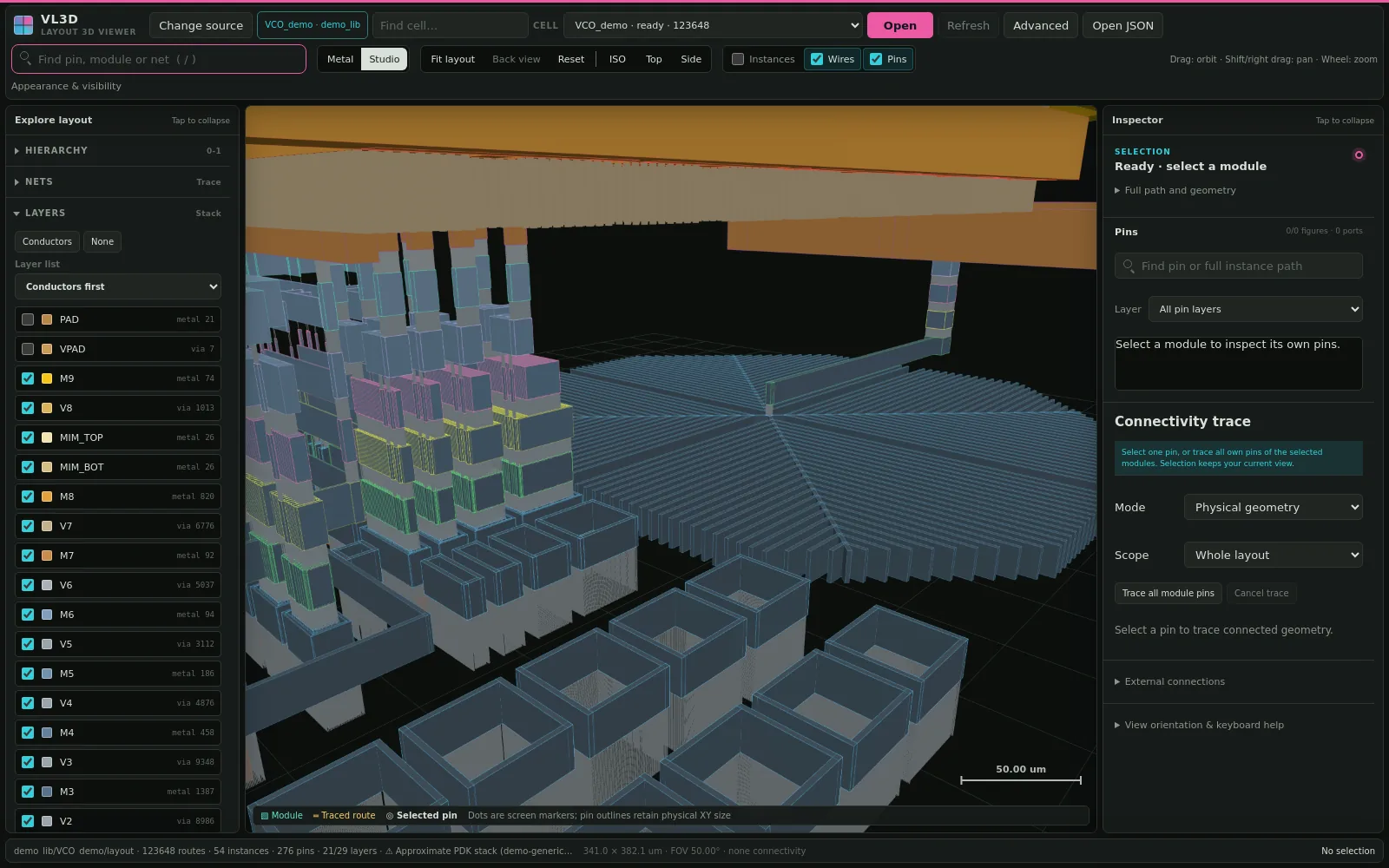
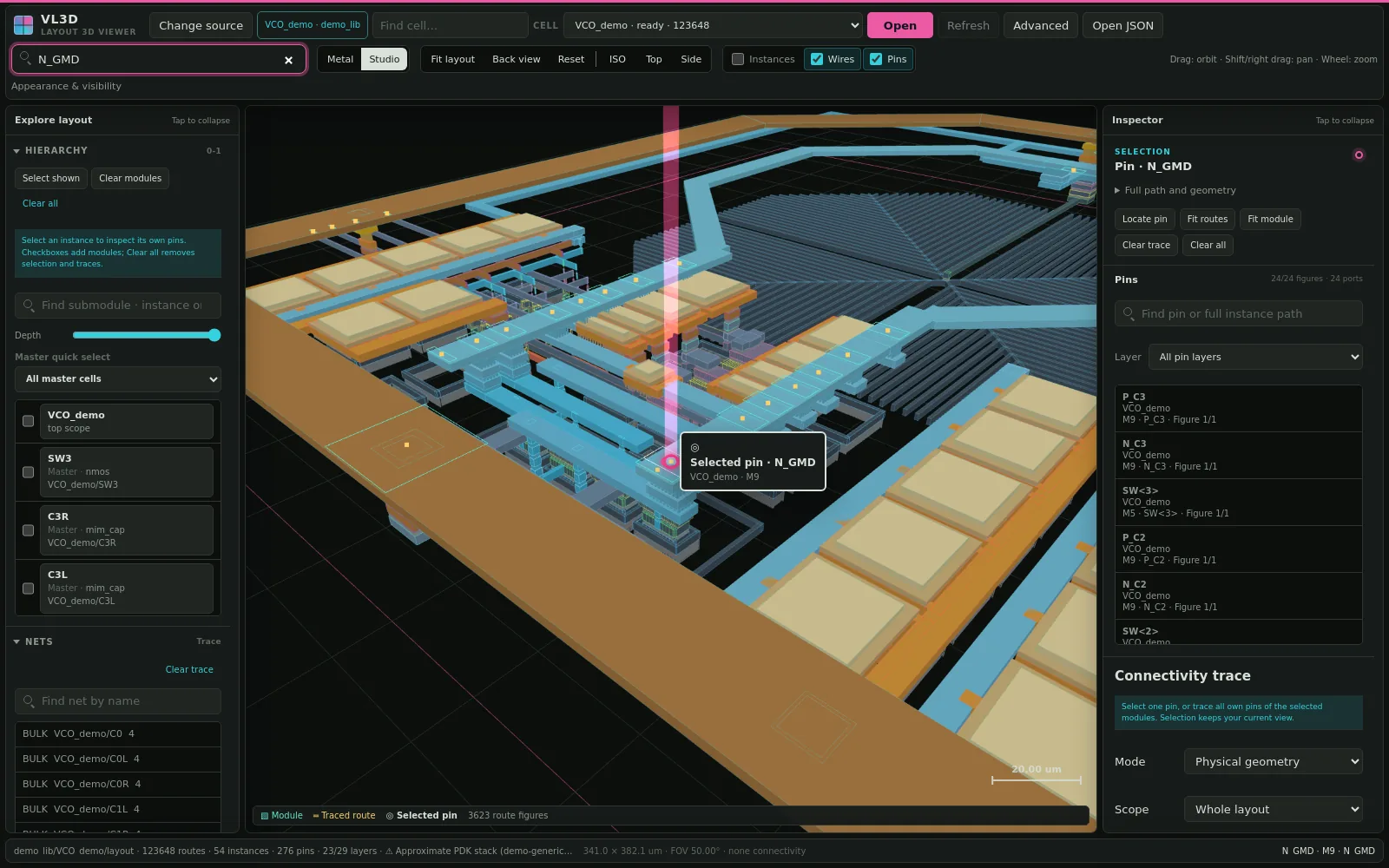
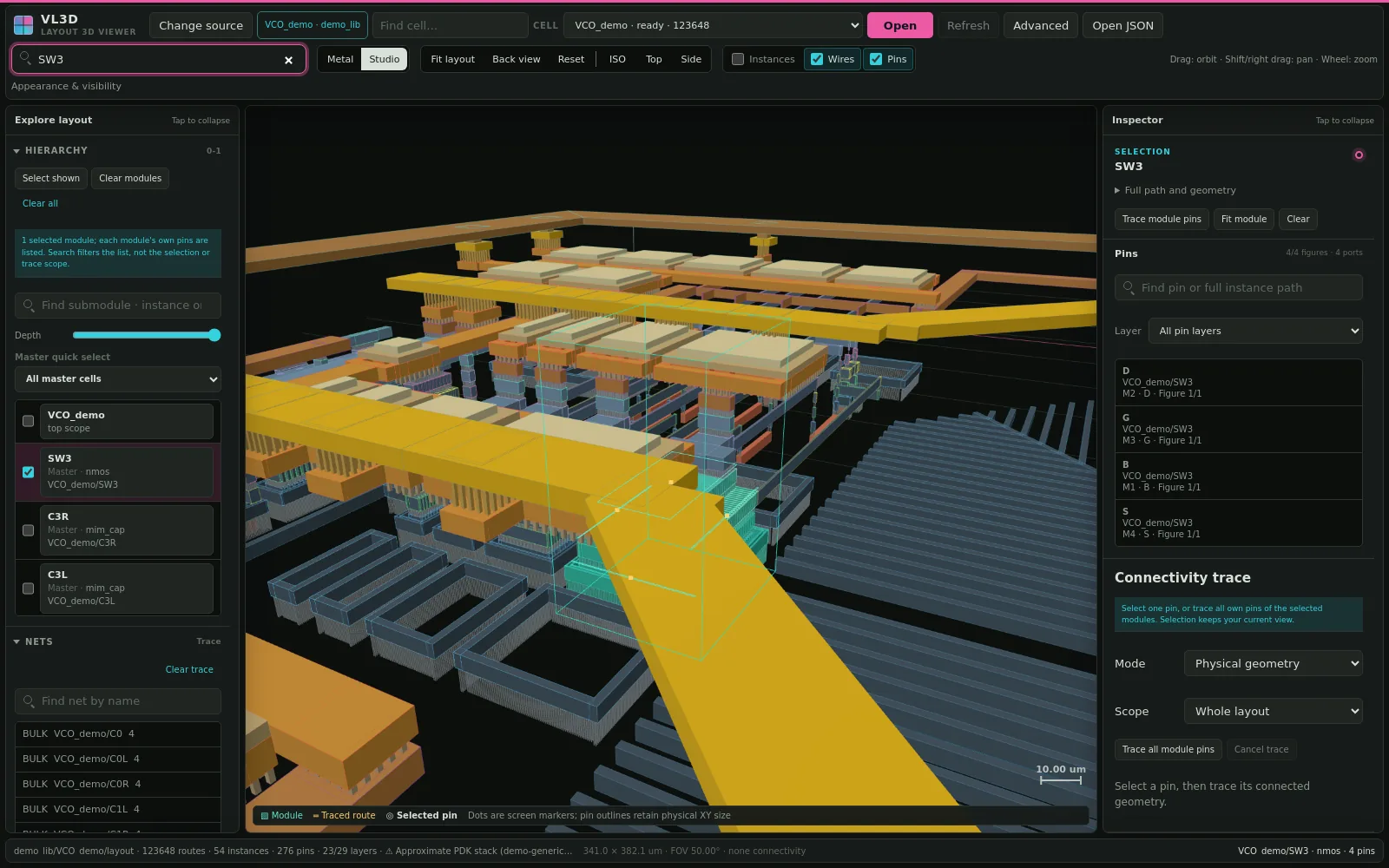
把平面版图立起来:转过来看被遮住的金属,按叠层拆开看过孔,在一个搜索框里找 pin、子模块和 net。Stand a flat layout up: turn it to see hidden metal, split the stack to read the vias, and find pins, submodules and nets from one search box.

输入Input
OA、JSON、GDS、OAS
查看View
拖动时线框、松手恢复实体;分层显示;Z 向拉伸;Metal / Studio 两种外观Outlines while dragging, solid when still; layer visibility; Z stretch; Metal / Studio looks
定位Locate
一个搜索框找 pin、子模块和 net,视角飞过去,其余淡化One box for pins, submodules and nets; the view flies there and the rest fades
追踪Trace
按物理几何或命名网络高亮连接,Back 回到上一个视角Highlight by physical geometry or named net; Back returns to the previous view
进入 Layout 3D ViewerOpen Layout 3D Viewer配音演示片约 90 秒narrated film, about 90 sGitHub

Tr5ISF、闪烁噪声上变频、相噪贡献ISF, flicker up-conversion, phase-noise contributions

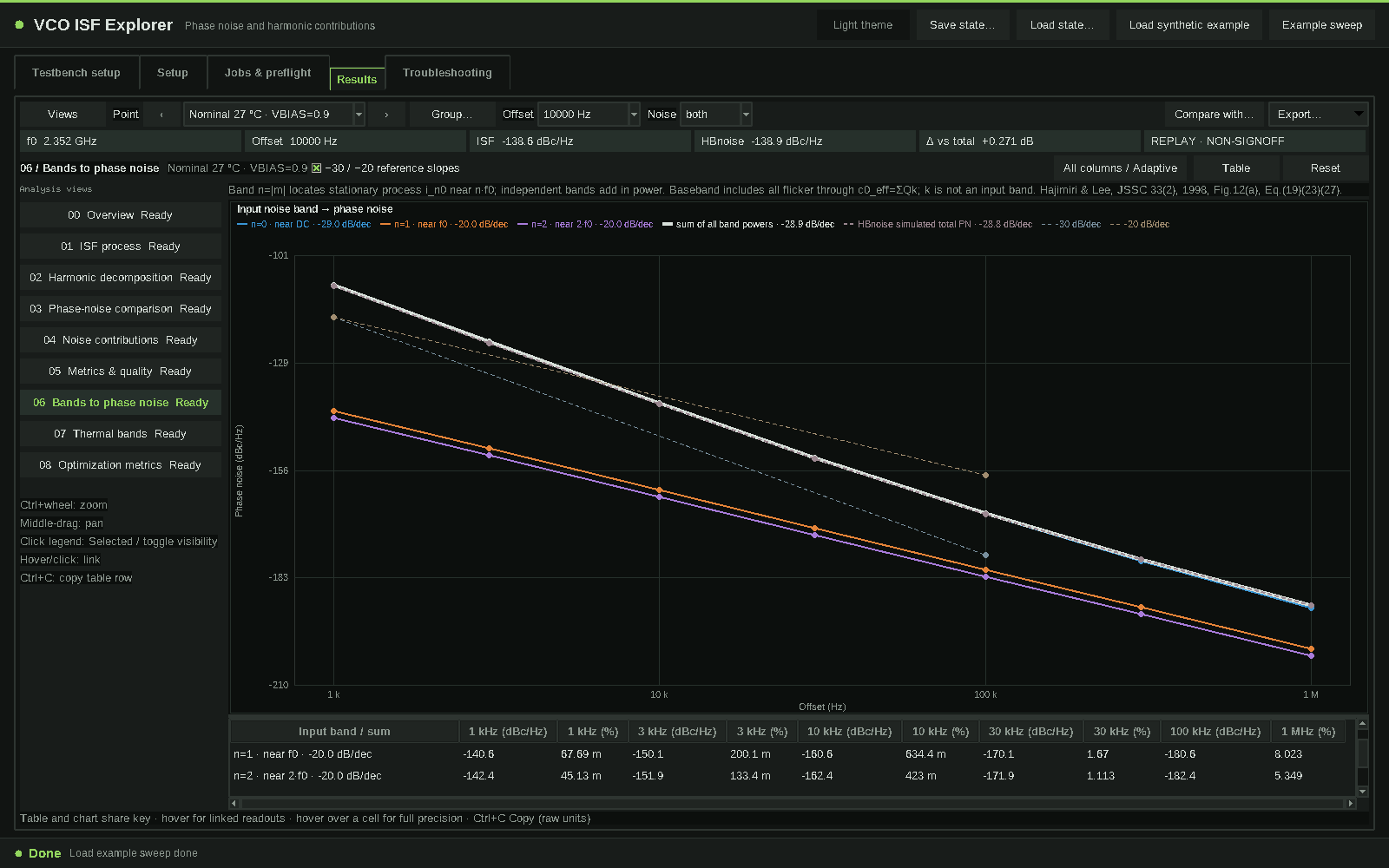
VCO ISF Explorer

在 1.2.0 中,可以准备测试台、手动选择两只核心器件,并通过九个结果视图追踪相噪和比较优化指标。In 1.2.0, prepare a testbench, select two core devices and use nine results views to trace phase noise and compare optimization metrics.

输入Input
测试台入口 A/B/C、已完成的 Maestro 仿真,或离线合成示例Testbench entries A/B/C, a completed Maestro simulation, or the offline synthetic example
ISF
工作点 → 噪声调制 → ISF I/Q → 乘积,Fig.14 叠加与谐波投影占比Operating point → noise modulation → ISF I/Q → product, Fig.14 overlay and harmonic projection shares
相噪Phase noise
独立输入频带功率和、同口径误差,按仿真功率排序的逐源贡献;gm 对管与受支持 LC 范围Independent input-band power sums, same-scope error and sources ranked by simulated power; gm pair and supported LC scope
命令行CLI
vco-isf metrics 与 and vco-isf optim
进入 VCO ISF ExplorerOpen VCO ISF Explorer配音演示片约一分半钟narrated film, about 90 secondsGitHub

CLI1.0.0

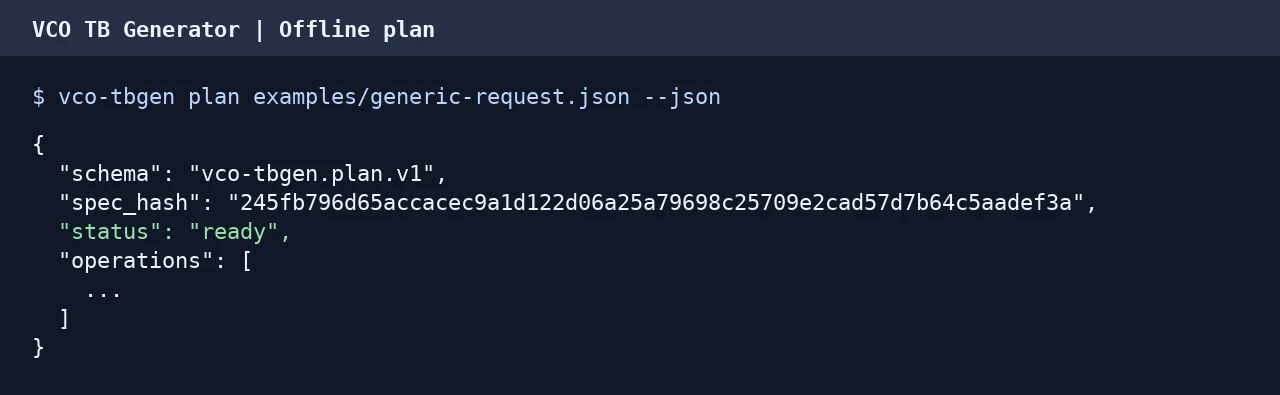
VCO TB Generator

为 LC VCO 生成 Virtuoso 测试台和 Maestro 分析配置。用 Python CLI 或 API 离线校验请求,在自备环境中生成并运行测试。Generate Virtuoso testbenches and Maestro analysis setups for LC VCOs. Use the Python CLI or API to validate a request offline, then build and run a test in your own environment.

Tr4Maestro、器件尺寸、多目标优化Maestro, device sizing, multi-objective search

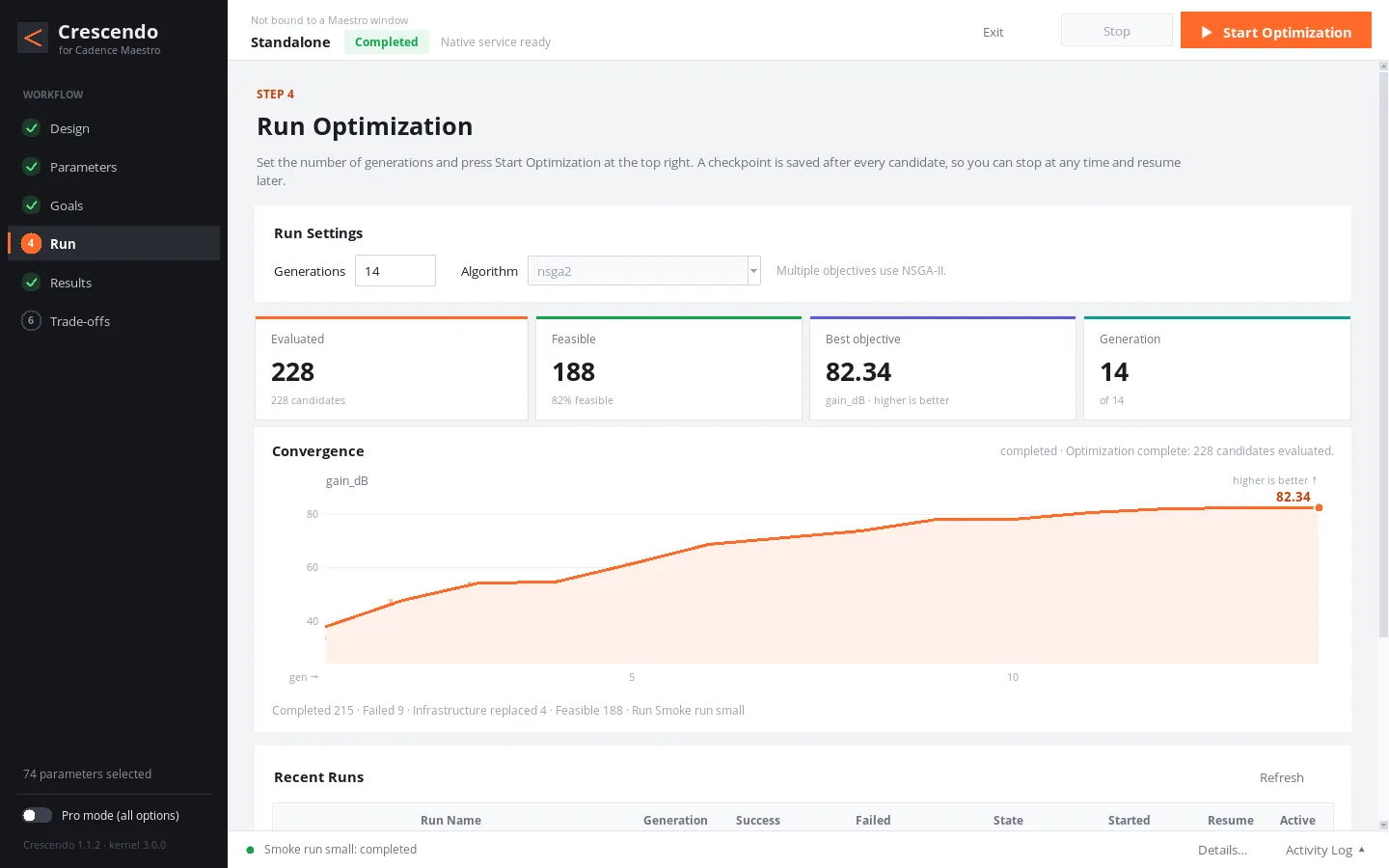
Crescendo

在 Maestro 里勾选参数、写下目标和约束,优化器自动仿真、找最优解和 Pareto 前沿;原设计全程只读。Tick parameters and write goals and constraints inside Maestro; the optimizer simulates, finds the best designs and the Pareto front, and never writes the original design.

流程Flow
六步:读取设计、勾选参数、设定目标、开始优化、实时结果、权衡分析Six steps: read the design, tick parameters, set goals, start, live results, trade-off
算法Search
NSGA-II、差分进化、贝叶斯优化;每个候选后存断点,可续跑NSGA-II, differential evolution, Bayesian optimization; checkpoint after every candidate, resumable
执行Run
Spectre 或 ALPS,本地或集群调度器;1.1 起整代批量求值,本机实测原生运行(Native Run)快 4.3 倍、目标值不变Spectre or ALPS, local or a cluster scheduler; from 1.1 a whole generation per run, 4.3× faster Native Run in local tests with identical objectives
大工程Scale
4000 个模块、5 万个参数的演示工程,参数树渲染期间界面最长无响应 74 msOn a 4,000-block, 50,000-parameter demo project, the window never freezes for more than 74 ms while the parameter tree renders
进入 CrescendoOpen Crescendo配音演示片约 70 秒narrated film, about 70 sGitHub

Tr6LC VCO 拓扑、分层原理图、原生导出LC VCO topologies, packaged schematics, native export

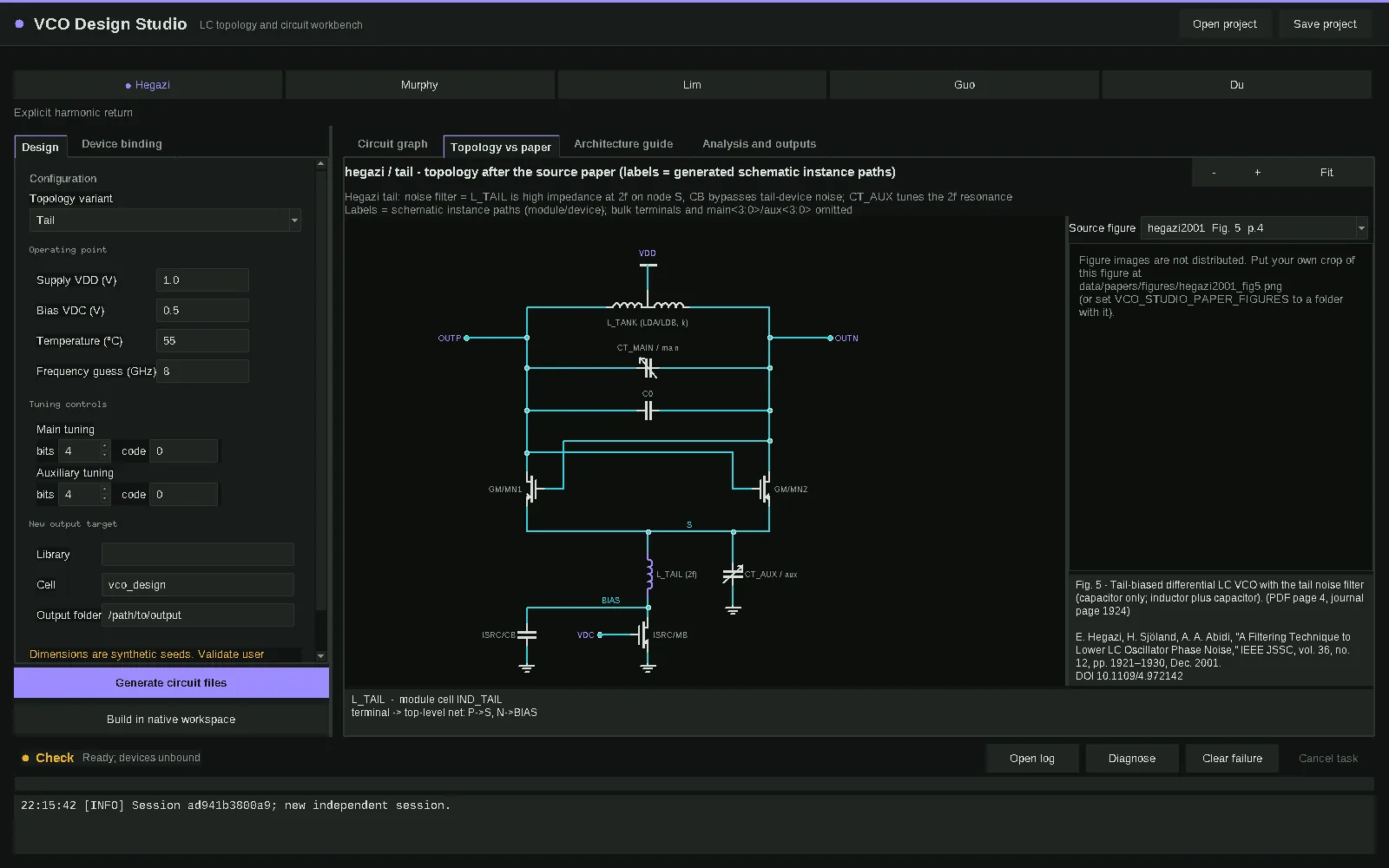
VCO Design Studio

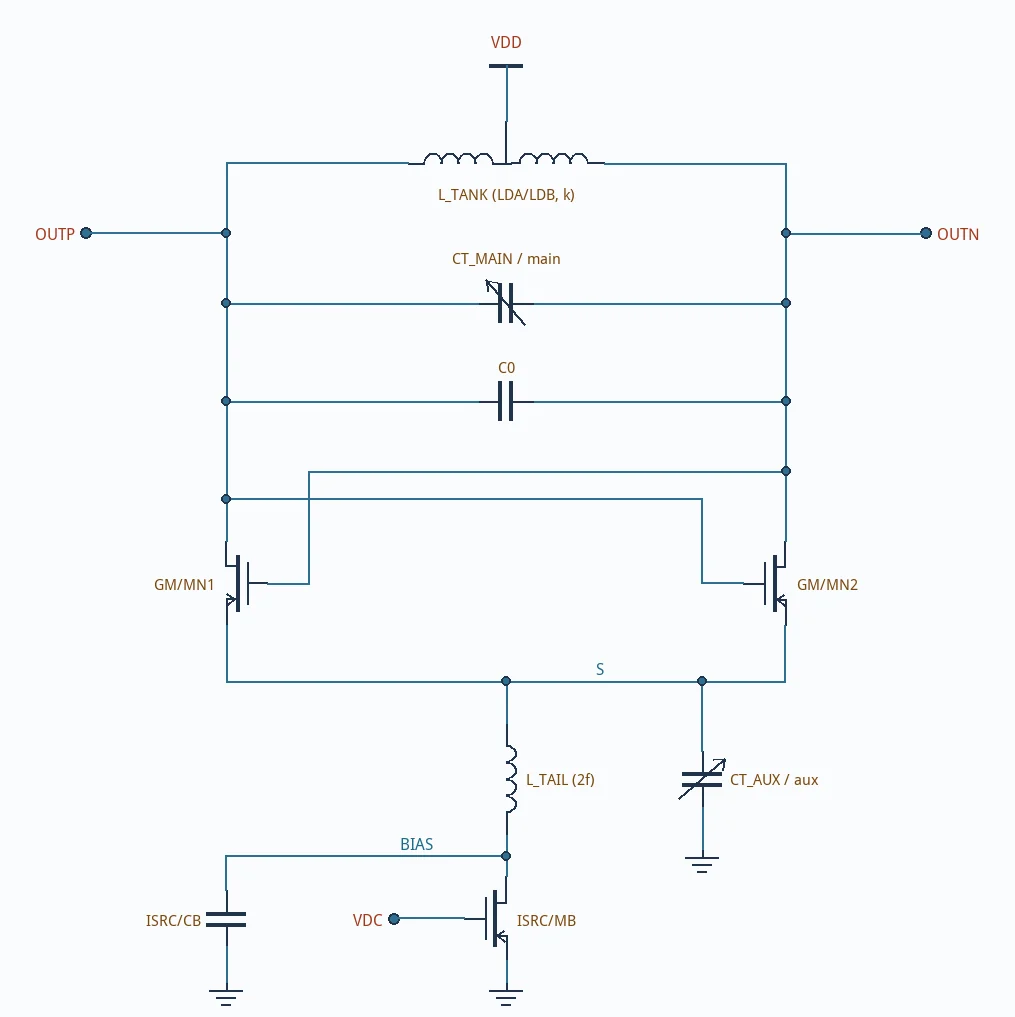
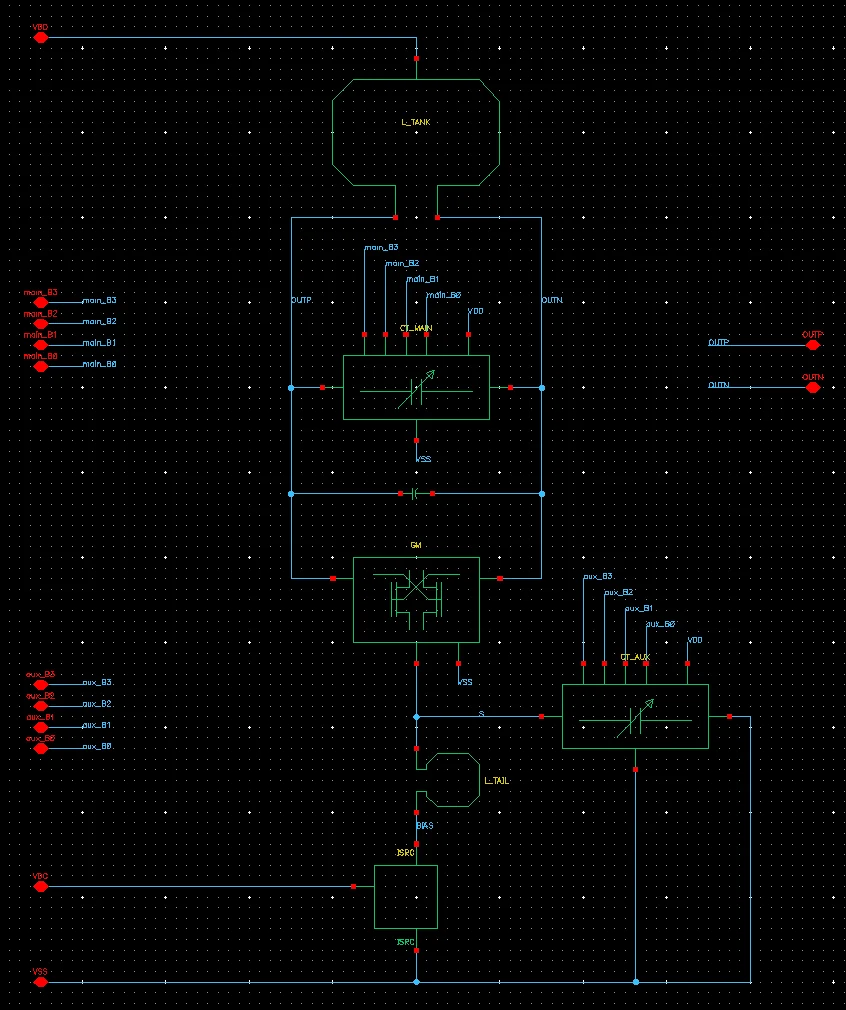
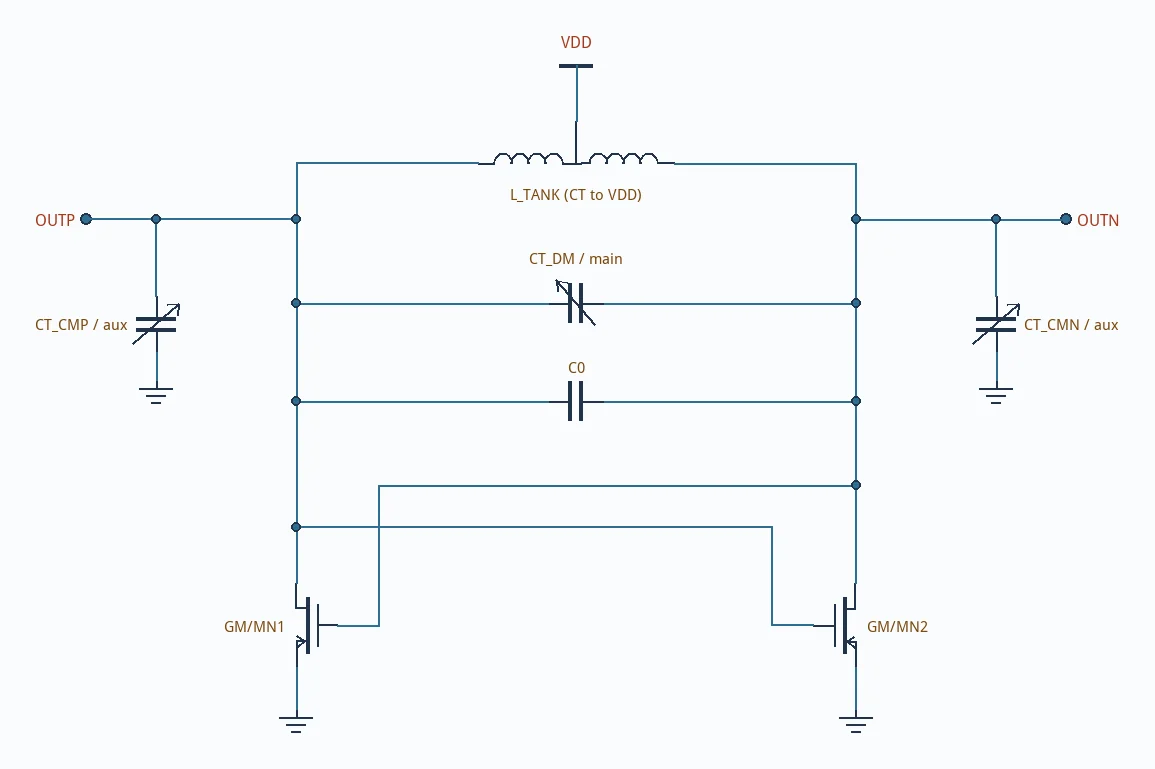
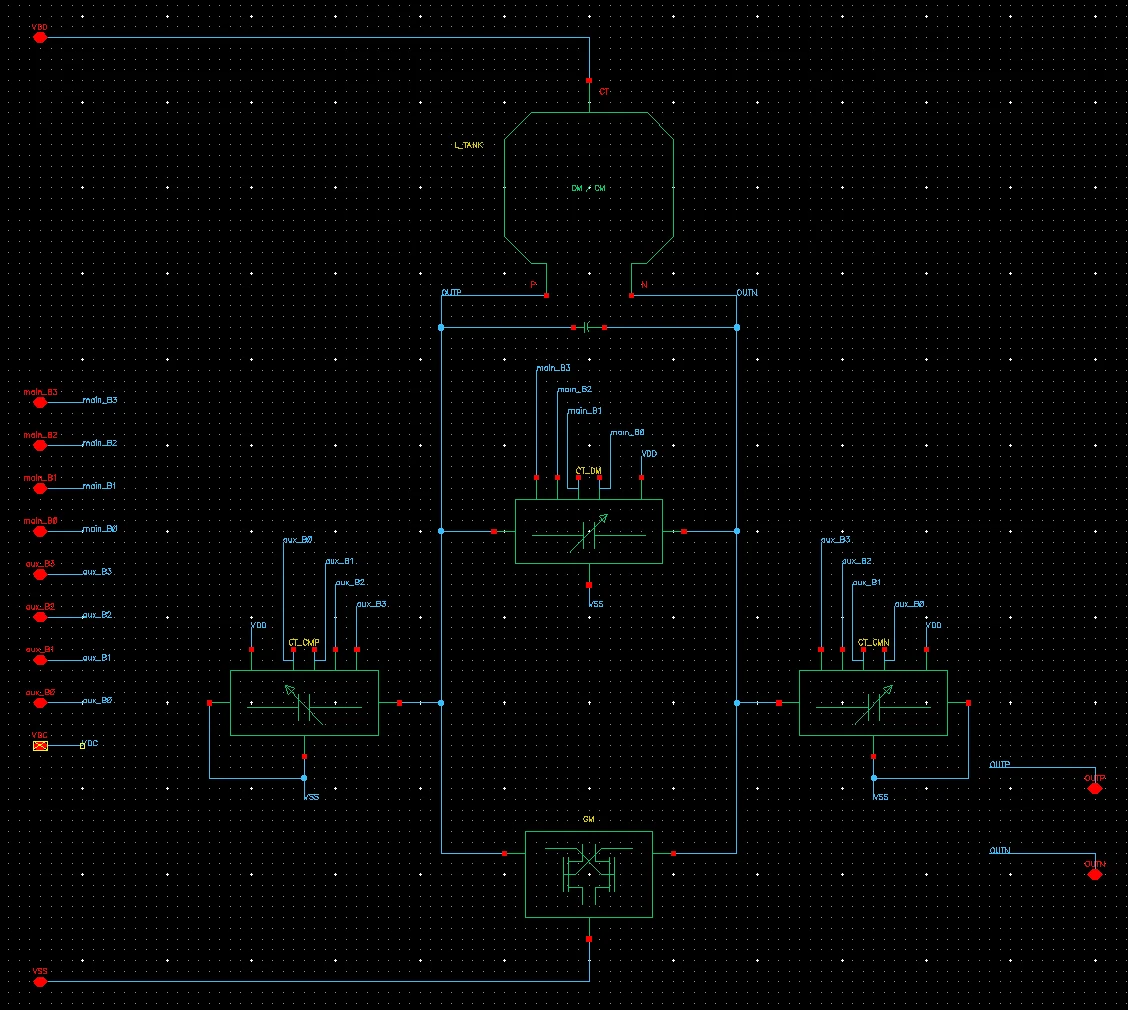
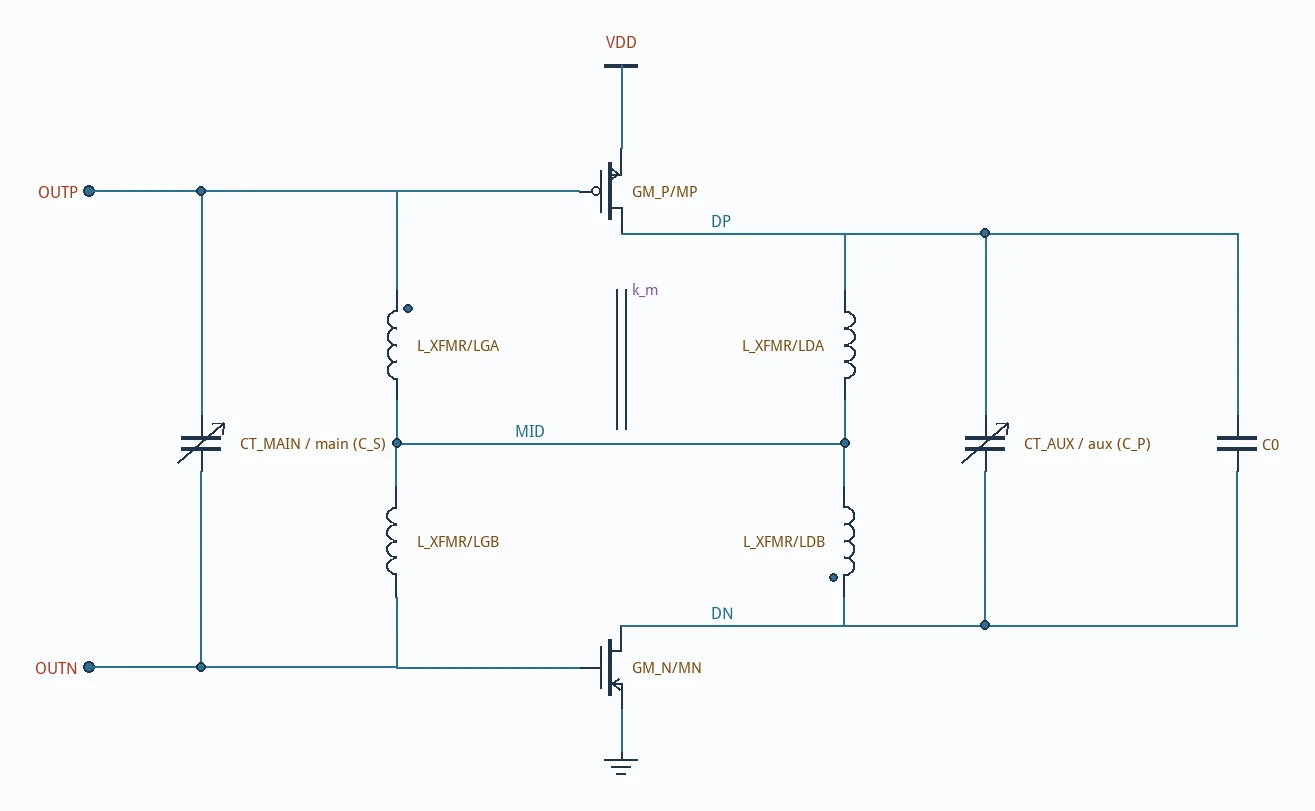
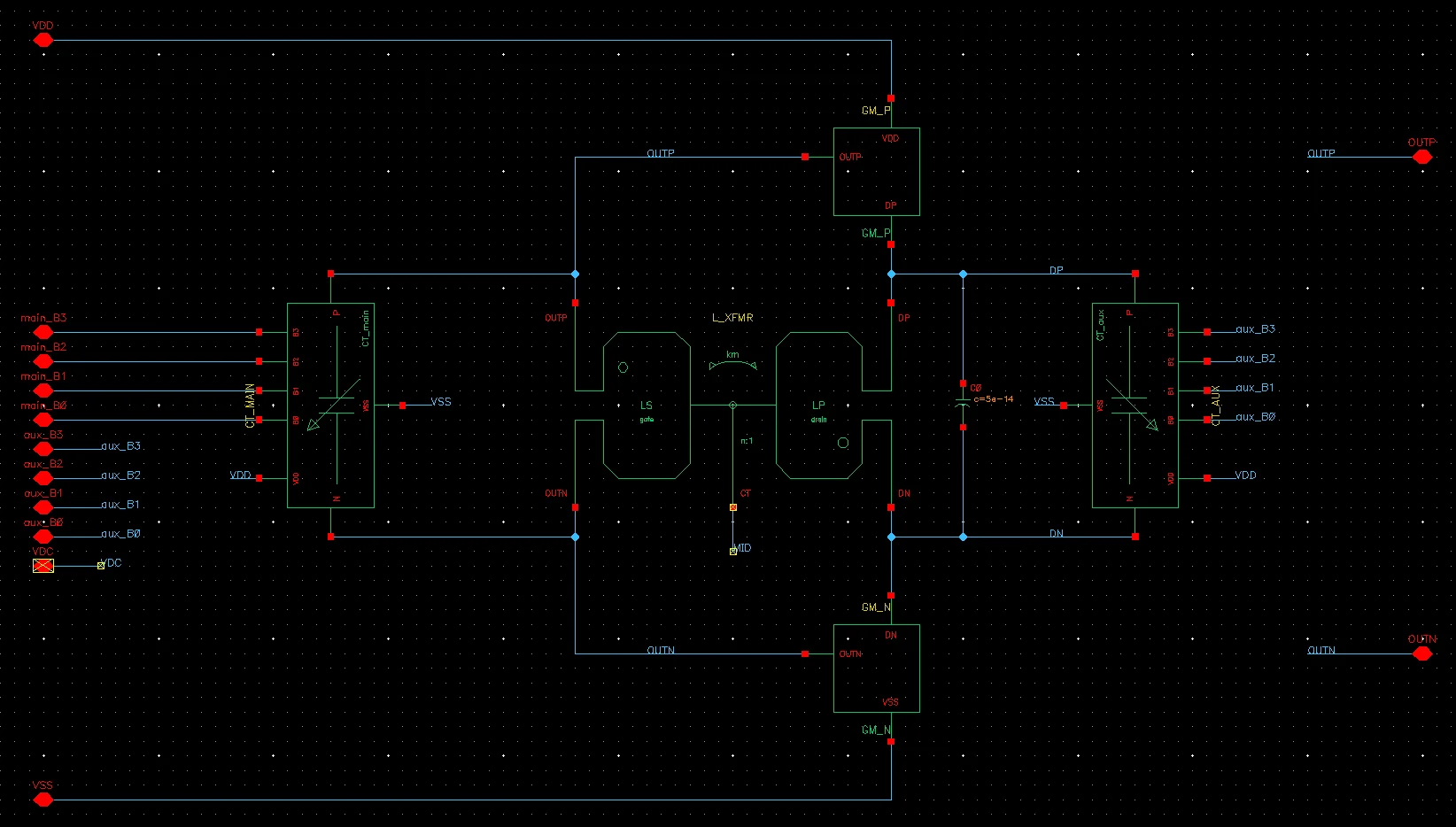
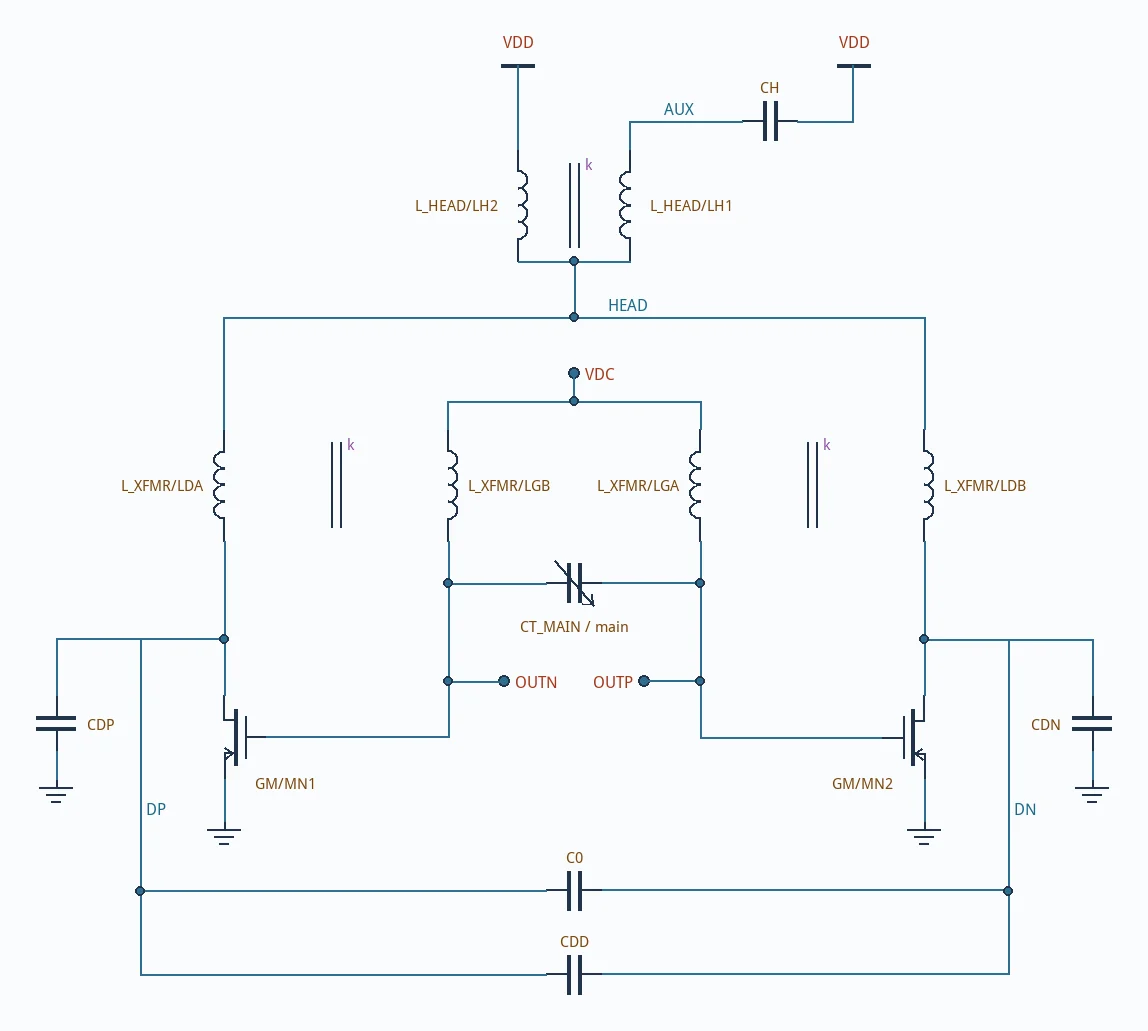
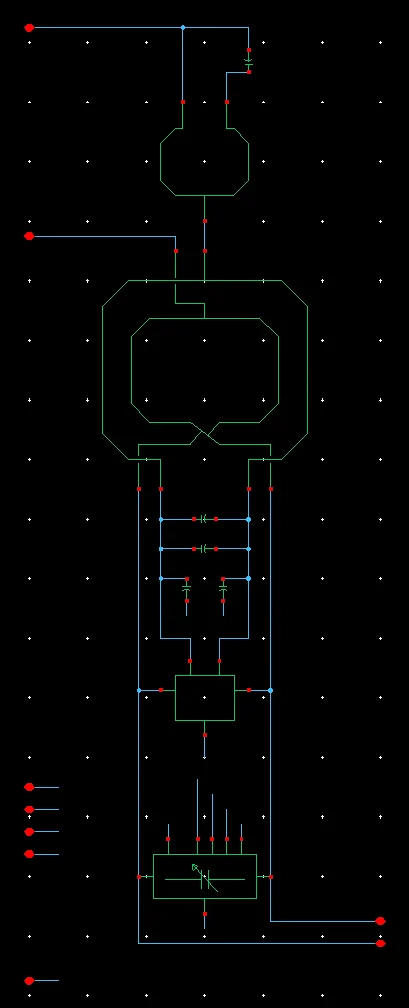
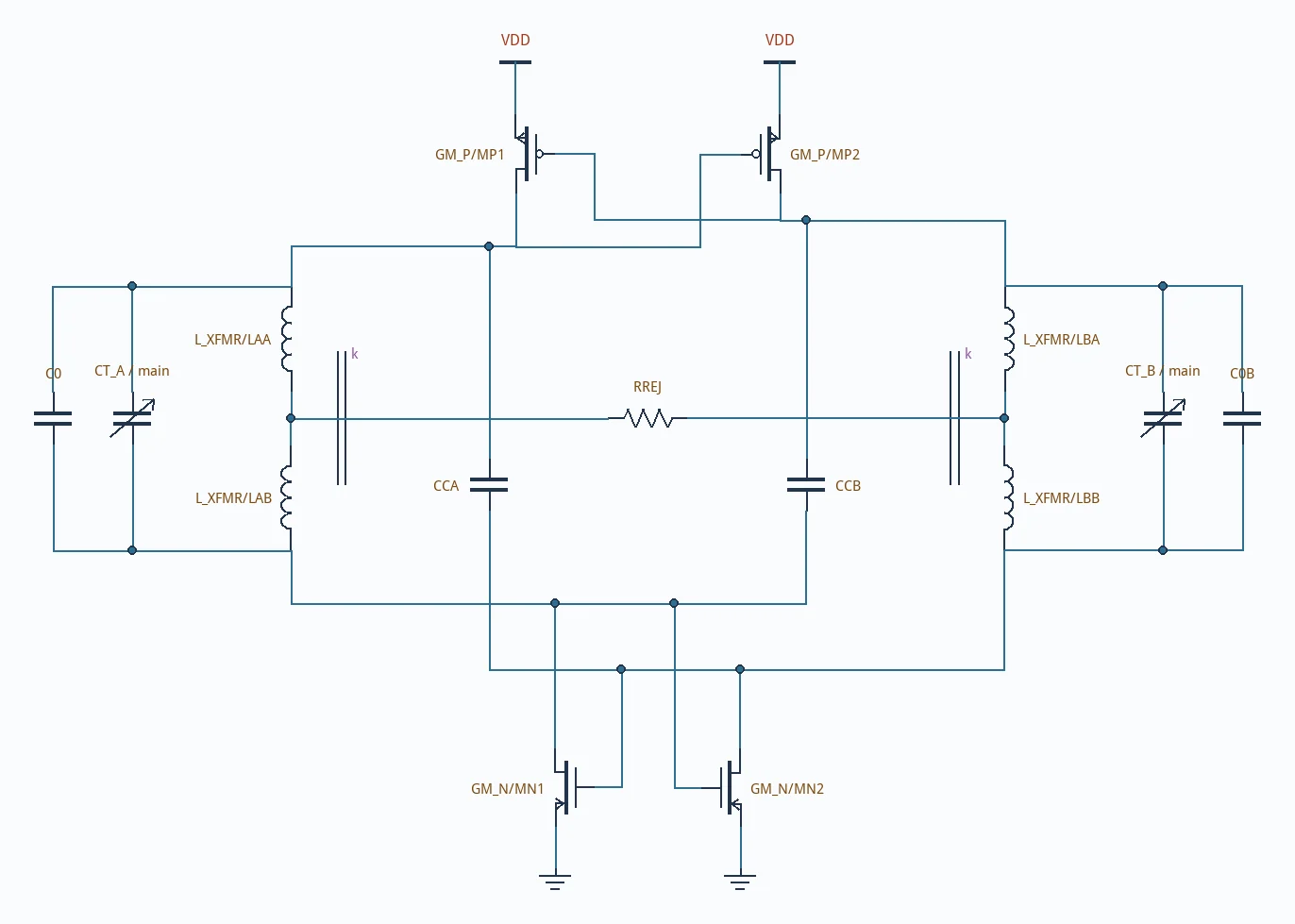
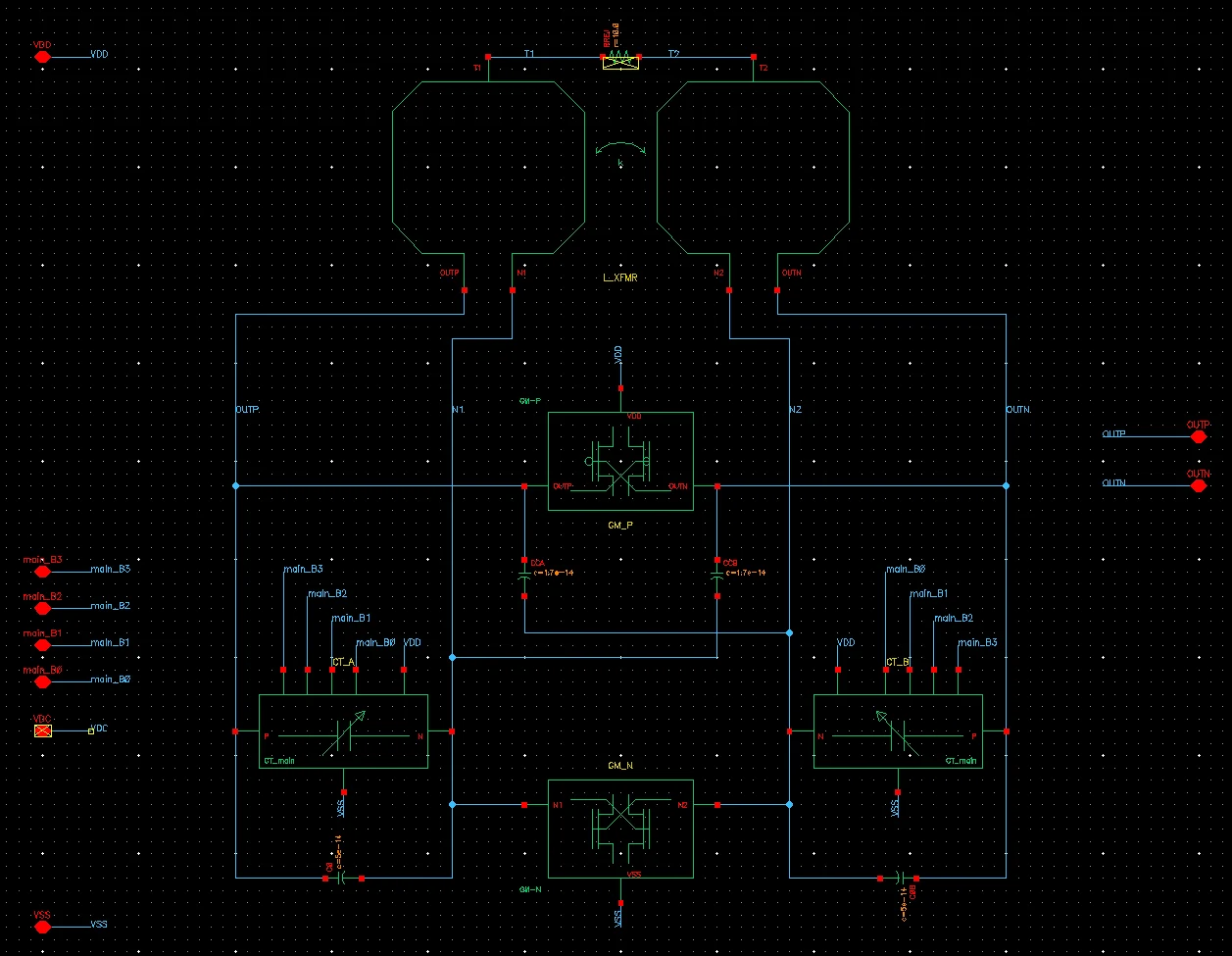
五类文献 LC VCO 拓扑,一张电气图同时生成网表、原生原理图、界面和命令行;配合结构包,顶层照论文原图排布;写入 OA 前先证明等价。转动页面旋钮,观察二次谐波对准。Five LC VCO families from the literature; one electrical graph drives netlists, native schematics, the UI and the CLI. With a structure pack the top level follows the paper figure; equivalence is proven before OA is written. Turn the page’s knob to explore second-harmonic alignment.

拓扑Topologies
Hegazi、Murphy、Lim、Guo、Du 五个家族,另有 Class-B 参考Hegazi, Murphy, Lim, Guo and Du families, plus a Class-B reference
层次Hierarchy
电感、gm 核心、偏置、开关电容阵列,每一级都有 symbolInductor, gm core, bias and switched-cap array cells, each with a symbol
验证Verified
一套 65 nm PDK 上 10 个变体全部导出通过,第二套抽查 3 个同样通过;137–292 个实例端子逐一对上All 10 variants exported and verified on one 65 nm PDK, 3 re-checked on a second; 137–292 instance terminals matched exactly
对照vs paper
论文画法拓扑图,标签即实例路径,附出处、图号、页码Paper-style drawings labelled with instance paths, with citation, figure and page

工作方式Approach

同一套能力,
两个入口。
One set of capabilities,
two ways in.

工程师在界面里看结构、调参数、读结果。agent 走命令行,拿到机器可读的输出,接进自动化流程。下面是一个机器可读诊断的例子。Engineers inspect structures, tune parameters and read results in the interface. Agents use the command line, get machine-readable output and plug it into automation. Below is one example: a machine-readable diagnostic.

GUI 给人用for people

看得见每一步Every step on screen

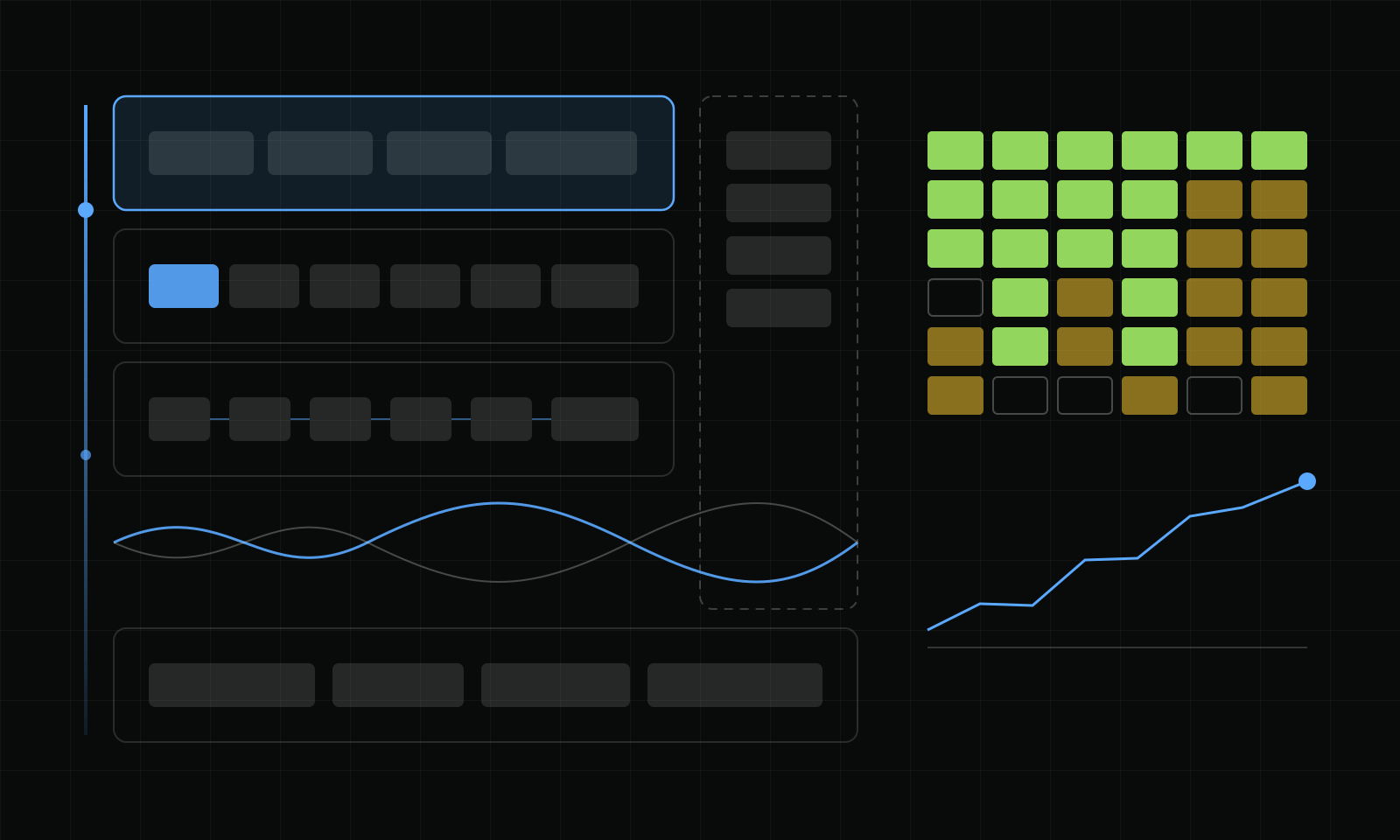
参数、几何、曲线和结果表放在同一个窗口里,点一个热图格子就能看到对应的候选。Parameters, geometry, curves and the result table share one window. Click a heatmap cell to see the matching candidate.

CLI 给 agent 用for agents

以上是 Layout 3D Viewer 的实际命令。诊断结果按错误编号给出处理建议,agent 可以直接读。These are real Layout 3D Viewer commands. Diagnostics come with error codes and recommended fixes that an agent can read directly.

长期目标Long-term aim

像编译程序一样,把设计意图编译成电路。Compile design intent into circuits, the way a compiler builds a program.

  1. 规格Spec频点、相噪、功耗frequency, phase noise, power
  2. 约束Constraints工艺、面积、调谐范围process, area, tuning range
  3. 电路与版图Circuit and layout拓扑、尺寸、无源结构topology, sizing, passives
  4. 仿真与验证Simulate and verifyEMX、Spectre、DRC/LVSEMX, Spectre, DRC/LVS

每一步的产物都可执行、可验证、可复用。这些工具分别覆盖其中的无源结构、电容阵列、版图阅读、相噪机理分析和器件尺寸优化。Each stage produces something executable, verifiable and reusable. The tools cover passives, capacitor arrays, layout reading, phase-noise mechanisms and device-size optimization within this chain.


把工具连成系统Tools, joined into a system

给它一份规格,
还你一个冻结的振荡器。
Hand it a spec.
Get back a frozen oscillator.

VCO Design System 是围绕 VCO Design Studio 搭起来的自主 LC VCO 设计系统:多个 agent 按规格选结构、驱动真实仿真、读诊断、自己修,最后全码回归、冻结、交付。私有系统,展示页讲清架构和流程,不公开方法细节。VCO Design System is an autonomous LC VCO design system built around VCO Design Studio: agents choose a structure from the spec, drive real simulation, read the diagnosis and repair the design, then regress every code, freeze and deliver. It is private; the showcase explains the architecture and the flow without publishing the method.

Tr8自主 LC VCO 设计 · 私有 · 展示页Autonomous LC VCO design · private · showcase

VCO Design System

五层架构:协作中枢、设计技能、流程程序、知识与证据、EDA 工具;十二步流程从规格走到交付,每一步都写明它守住了什么。Five layers: a collaboration hub, design skills, the flow program, knowledge and evidence, and EDA tools. Twelve steps take a spec to delivery, each stating what it guarantees.

流程Flow
规格选型、谐振腔扫描、三码相噪、谐波返回、起振检查与自动修复、全码回归、独立收敛与冻结Spec and structure, tank scan, three-code phase noise, harmonic return, startup check with automatic repair, all-code regression, independent convergence and freeze
回归Regression
6 种结构、共 36 格全自动设计,最新进度 34 格通过;Hegazi 6/6,包括 20 GHz6 structures across 36 cells designed automatically, 34 pass at the latest count; Hegazi 6/6 including 20 GHz
协作Agents
指挥、执行、审查三种角色,共享仿真槽位,跨模型审查Conductor, executor and reviewer roles, shared simulation slots, cross-model review
进入 VCO Design SystemOpen VCO Design System无视频,交互图解no film, interactive diagrams

给 agent 的观测台An observatory for agents

工具有人用,
也要看见 agent 怎么用。
Tools get used by agents too.
Watch how.

Neural Atlas 把一次任务经过的知识库、技能、程序和专业软件画成一张三维脑图:实时看传导,按轨迹读完整路径,再用转移矩阵、路径熵和回路统计解释一次绕路。Neural Atlas draws the knowledge, skills, programs and specialist software a task passes through as a 3D brain map. Watch activity live, read a whole task as a trace, then explain a detour with transition matrices, path entropy and loop statistics.

NA多 agent 任务的三维传导图谱3D conduction map of multi-agent tasks

Neural Atlas

只读 agent 已经写下的日志,不埋点、不阻塞任务;同一套区域和事件语义可以映射到 VCO、PA,也可以映射到 IC 以外的数据分析。It reads the logs agents already write, with no instrumentation and no blocking. The same regions and event semantics map onto VCO and PA design, and onto data analysis outside IC design.

视图Views
实时 10 倍速回放;轨迹逐步绘出完整路径Live replay at 10×; Trace draws the whole path step by step
统计Statistics
Markov 转移与 Wilson 区间、路径熵、重访与回路、失败恢复链Markov transitions with Wilson intervals, path entropy, revisits and loops, failure-recovery chains
映射Mappings
VCO、PA、非 IC 数据分析,一份映射配置接入VCO, PA and non-IC data analysis, each from one mapping file
数据Data
网页里全部是固定种子的模拟数据,角色匿名为 Agent A–DEverything on the page is fixed-seed simulated data; roles are anonymous Agents A–D
进入 Neural AtlasOpen Neural Atlas可在网页里亲手点燃一次传导Ignite a cascade yourself in the browser

路线Roadmap

已经能用的,
和正在做的。
What works today,
and what is next.

指示灯照实标:绿色已发布,琥珀色在开发,灰色还在计划。The lamps are honest: green is released, amber is in development, grey is planned.

已发布Released

Flux Studio(含 SNPFit)、Tank Scan Lab、Layout 3D Viewer、VCO ISF Explorer、Crescendo、VCO Design Studio,均以 MIT 许可证在 GitHub 开源,各有图形界面和命令行,并配有中英文配音演示片。VCO TB Generator 也以 MIT 许可证开源,提供 CLI 和 Python API。Flux Studio (with SNPFit), Tank Scan Lab, Layout 3D Viewer, VCO ISF Explorer, Crescendo and VCO Design Studio, all open source on GitHub under the MIT licence, each with a GUI and a CLI and a narrated film in Chinese and English. VCO TB Generator is also open source under MIT and provides a CLI and Python API.

开发中In development

面向规格、选型、仿真、诊断、冻结与交付的 LC VCO 设计流程。An LC VCO design flow covering spec, topology choice, simulation, diagnosis, freeze and delivery.

计划Planned

把脚本整理成工作流,再沉淀为知识库和 agent skills。Turn scripts into workflows, then into a knowledge base and agent skills.

1

从分立脚本,到半自动协作,再到全自动接管。From separate scripts, to semi-automated collaboration, to fully autonomous runs.

2

有源与无源器件联合优化、联合仿真。Joint optimization and simulation of active and passive devices.

3

RF 电路与系统一键设计。One-click design of RF circuits and systems.

所有项目脚本成熟后全部开源。Every project script will be open-sourced once it matures.